If you’ve spent any time working with generative AI, you’ve likely noticed a pattern: the same tool can produce wildly different outputs depending on how you ask. One prompt yields a sharp, ready-to-use draft. Another returns a generic, slightly off-target paragraph that requires three rounds of revisions.
The difference isn’t the AI’s capability. It’s the clarity of your instructions.
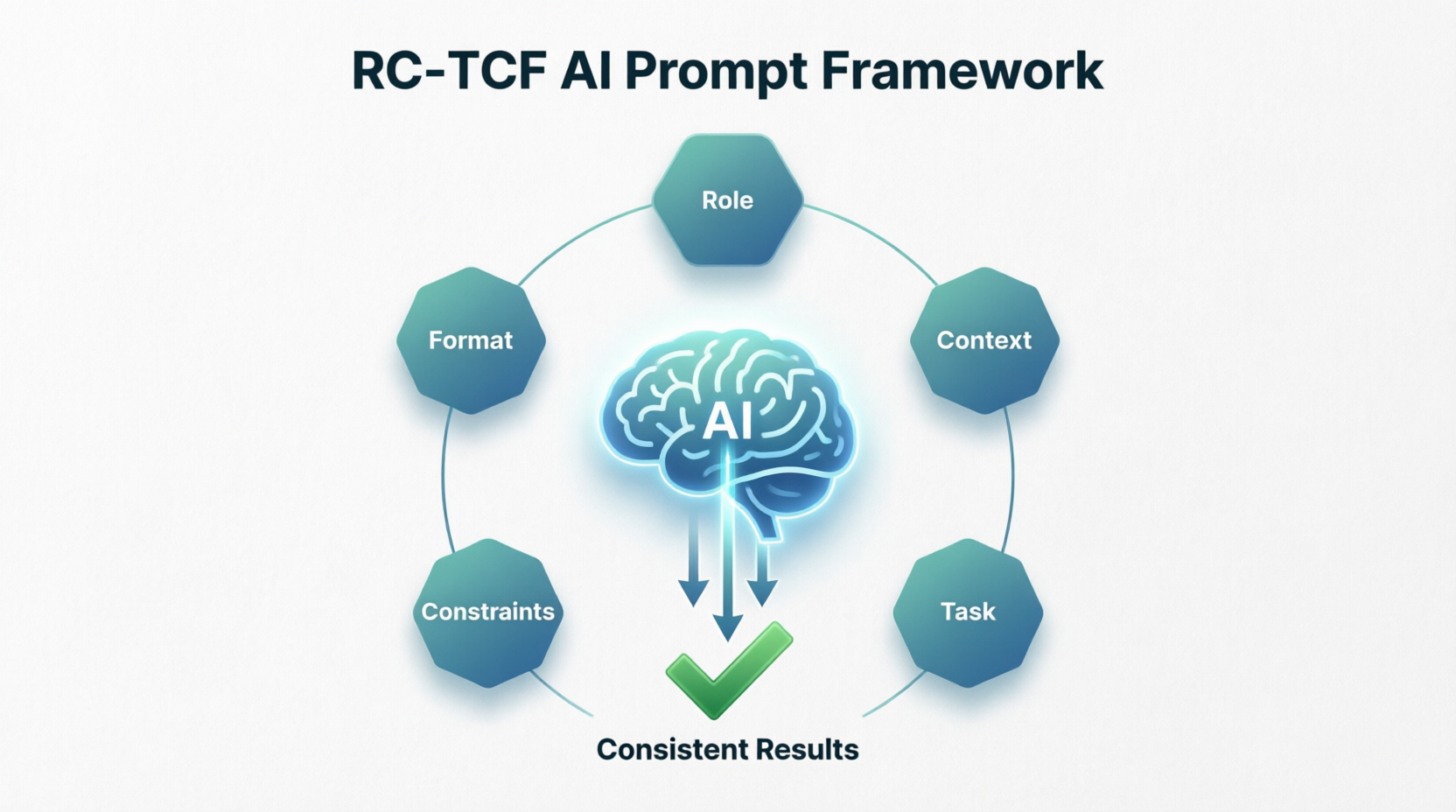
Enter RC-TCF: a simple, repeatable prompt engineering methodology that stands for Role, Context, Task, Constraints, and Format. It’s not a technical cheat code or a rigid template. It’s a structured way of thinking that bridges the gap between human intent and AI execution. Whether you’re evaluating AI strategy for your department or drafting your third prompt of the morning, RC-TCF helps you get better results, faster.
What Exactly Is RC-TCF?
At its core, RC-TCF is a mental checklist. Before hitting “enter,” you quickly align five key dimensions of your request:
- Role: Who should the AI act as? Assigning a role (e.g., “Act as a senior marketing strategist,” “Write from the perspective of a compliance officer”) gives the model a clear lens for tone, expertise, and prioritization.
- Context: What background information matters? Share the “why,” the audience, the current situation, or any relevant data. Context turns a generic request into a targeted solution.
- Task: What exactly needs to be done? State the action clearly and concisely. Use active verbs: draft, analyze, summarize, compare, outline.
- Constraints: What are the guardrails? Specify length, tone, topics to avoid, compliance requirements, or stylistic boundaries. Constraints keep the output focused and on-brand.
- Format: How should the answer be delivered? Request a specific structure: bulleted list, executive summary, table, slide outline, email template, or step-by-step guide.
You don’t need to write out each label explicitly every time. Think of RC-TCF as a scaffold for intentionality.
Why Structure Matters: The Business Case for Better Prompts
AI doesn’t read minds. It predicts patterns based on the signals you provide. When prompts are vague, AI defaults to the most common, lowest-friction response. When prompts are structured, AI aligns closely with your actual business need.
Here is a video of a developer that claims to have used a 800-character prompt to generate this animation. It’s impressive! But if you follow the thread on Reddit you’ll see that someone already found an easier way to do it. That’s what you’ll find with prompts – people are always looking at ways to refine prompts to provide better information on the first pass without having to iterate several time.
Thoughtful prompt structure directly impacts:
- Quality & Relevance: Outputs match your audience, objectives, and industry standards.
- Time to Value: Fewer revision cycles mean less back-and-forth and faster deployment.
- Consistency & Scalability: Teams produce uniform, on-brand work regardless of who’s prompting.
- Risk Mitigation: Clear constraints reduce hallucinations, off-tone messaging, or compliance oversights.
In short, RC-TCF transforms AI from a novelty tool into a reliable extension of your team’s workflow.
Common Prompting Mistakes (And How RC-TCF Fixes Them)
| Mistake | Why It Fails | How RC-TCF Solves It |
|---|---|---|
| “Write something about our new product.” | Too vague. AI guesses audience, length, and purpose. | Task + Context specify what’s needed and for whom. |
| No audience or background provided | Output feels generic or misaligned with business goals. | Context grounds the response in your reality. |
| Ignoring tone or compliance boundaries | AI defaults to casual, academic, or overly promotional language. | Constraints + Role set professional guardrails. |
| Receiving a wall of text instead of usable output | Formatting isn’t requested, so AI defaults to paragraph mode. | Format dictates structure upfront. |
RC-TCF doesn’t eliminate creativity. It channels it.
What Leaders Need to Know: Scaling AI Through Consistency
If you’re responsible for AI adoption across a team or organization, RC-TCF is your operational leverage. Unstructured prompting leads to fragmented outputs, inconsistent quality, and frustration that slows adoption. Structured prompting creates a shared language.
Why it matters for leadership:
- Reduces training overhead: Instead of teaching every edge case, teach one reusable framework.
- Improves ROI on AI tools: Consistent prompts = consistent outputs = faster integration into real workflows.
- Enables governance: Constraints and format requirements make it easier to align outputs with brand, legal, and compliance standards.
- Builds AI literacy: Teams move from “experimenting” to “executing” when they understand how to direct the tool intentionally.
Consider embedding RC-TCF into onboarding, internal playbooks, or prompt review templates. When prompting becomes a disciplined practice, AI scales with predictability.
What Individual Contributors Need to Know: Daily Workflow Wins
If you’re hands-on with AI daily, RC-TCF is your time-saving habit. You already know what “good” looks like in your role. RC-TCF simply packages that knowledge into instructions the AI can reliably execute.
Practical tips for daily use:
- Keep a mental (or quick-text) RC-TCF checklist open when drafting complex prompts.
- Reuse successful prompt structures. Save templates in a notes app or prompt library.
- Iterate, don’t over-engineer. Start with Role + Task, then layer Context, Constraints, and Format as needed.
- Treat the first output as a draft, not a final product. Refine constraints or format if the result misses the mark.
The goal isn’t perfection on prompt #1. It’s reducing revision loops and reclaiming hours across the week.
Before vs. After: Seeing RC-TCF in Action
❌ Weak Prompt:
“Write a follow-up email to a client about the demo we did yesterday.”
✅ RC-TCF Prompt:
Role: Act as a Senior Customer Success Manager.
Context: We just completed a 45-minute product demo with a mid-market SaaS company. The prospect was impressed but raised concerns about implementation timelines and internal training.
Task: Draft a follow-up email that acknowledges their feedback, reinforces our value proposition, and proposes next steps.
Constraints: Keep it under 200 words. Use a professional, collaborative tone. Avoid technical jargon. Do not make pricing promises.
Format: Email structure with a clear subject line, two short paragraphs, and a 3-bullet list of proposed next steps.
Why the structured version wins:
The AI now knows the exact perspective to adopt, the specific concern to address, the boundaries to respect, and how to package the output for immediate use. The result requires minimal editing and can be sent within minutes, not hours.
It’s a Mental Habit, Not a Rigid Rulebook
RC-TCF isn’t about forcing every prompt into a five-part formula. Sometimes a quick “Summarize this report in 3 bullets” is perfectly sufficient. The framework shines when stakes are higher, outputs need to align with business standards, or you’re tired of guessing what the AI will return.
Think of RC-TCF as a steering wheel, not a straightjacket. Use all five elements when precision matters. Drop or combine them when speed does. Over time, the structure becomes second nature, and your prompts naturally include the right signals without conscious effort.
Your Next Step
AI amplifies intent. Clear prompts produce clear results. The framework is simple; the habit is what scales.
For Leaders: Start small but start intentional. Introduce RC-TCF as a team standard. Run a 30-minute workshop, share a prompt template library, and track revision time before and after adoption. When prompting becomes consistent, AI becomes predictable—and predictability drives ROI.
For Individual Contributors: Try RC-TCF on your next three high-stakes prompts. Note the difference in output quality and editing time. Save your best versions. Iterate. Within a week, you’ll spend less time fixing AI drafts and more time acting on them.
The future of work isn’t about humans versus AI. It’s about humans directing AI with precision. Structure your prompts. Clarify your intent. Watch what happens next.
RC-TCF Prompt: Implementation Performance & Sentiment Analysis
Role:
Act as a Senior Operations Analyst specializing in Customer Implementation lifecycle analytics. You have deep experience with SaaS onboarding workflows, support ticket correlation analysis, and translating operational data into executive-ready insights. You are comfortable working with large datasets (10,000+ rows) exported from tools like JIRA, Zendesk, or Gainsight.
Context:
I am a Director of Customer Support and Implementation. I have exported implementation project data and post-launch support metrics into a single dataset with thousands of rows. Key fields include:
- Implementation start/end dates, planned vs. actual milestones
- Implementation status: “ahead of schedule,” “on-time,” “delayed”
- Post-launch ticket volume, ticket categories, and time-to-resolution
- Client sentiment scores: CSAT (1–5) and CES (1–7) collected at 30/60/90 days
- Client metadata: industry, company size, product tier, CSM assignment
I need to move from raw data to actionable insights—identifying patterns, root causes of delays, and correlations between implementation experience and post-launch support burden or client satisfaction.
Task:
Help me design a practical, scalable analysis framework to:
- Segment implementations by timeline performance (ahead/on-time/delayed) and identify common characteristics of each group
- Analyze whether delayed implementations correlate with higher post-launch ticket volume, specific ticket types, or longer resolution times
- Evaluate relationships between implementation experience and client sentiment (CSAT/CES trends)
- Surface 3–5 high-impact, data-driven recommendations to reduce time-to-value and improve post-launch stability
- Suggest which additional metrics or data points I should capture to strengthen future analysis
Constraints:
- Prioritize insights that can be actioned within a quarterly planning cycle
- Avoid overly complex statistical methods; focus on clear, interpretable analysis (e.g., cohort comparisons, correlation matrices, trend visualizations)
- Flag any analysis that would require data cleansing or standardization before execution
- Keep recommendations scoped to levers within Support/Implementation control (e.g., process tweaks, training, handoff protocols)
- If suggesting visualizations, specify chart type and key axes (e.g., “stacked bar: ticket category by implementation delay status”)
Format:
Return your response in this structure:
1. Quick-Start Analysis Checklist – 5–7 immediate steps to begin exploring the data
2. Key Segmentation Strategy – How to group implementations for meaningful comparison
3. Correlation Framework – Specific relationships to test (implementation timeline → tickets → sentiment) with suggested calculations
4. Red Flag Indicators – Early warning signs to monitor in future implementations
5. Recommended Visualizations – 3–4 high-value charts with purpose and construction notes
6. Executive Summary Template – A 3-bullet format to report findings to leadership
7. Data Quality Notes – Common pitfalls in implementation datasets and how to address them
Why This Prompt Works (RC-TCF Breakdown)
| Component | What It Does | Why It Matters Here |
|---|---|---|
| Role | Assigns analytical expertise and domain familiarity | Ensures the AI thinks like an ops analyst, not a generic assistant—critical for credible, actionable output |
| Context | Provides dataset scope, key fields, and business objective | Prevents generic advice; grounds recommendations in your actual data reality |
| Task | Lists 5 specific, outcome-oriented asks | Gives the AI clear success criteria and prevents scope creep |
| Constraints | Sets boundaries on complexity, actionability, and ownership | Keeps output practical for a busy leader; avoids “boil the ocean” analysis |
| Format | Dictates a structured, scannable response | Saves you time reorganizing output; makes it easy to socialize with your team |
Pro Tips for Using This Prompt
- Start with a sample: Before running this on your full dataset, test the framework on a 100-row sample to validate the approach.
- Iterate on constraints: If the output feels too high-level, add: “Include one example calculation using hypothetical data.”
- Layer in your tools: Add a line like “Assume I’m using Excel/Power BI/Python” to get tool-specific guidance.
- Save and reuse: Store this prompt in your team’s playbook. Swap out metrics or segments as your analysis evolves.
- Pair with human review: Use the AI’s framework to guide your analysis—but always validate correlations with domain knowledge before acting.
Expected Output Snapshot
When you run this prompt, you should receive:
- A prioritized checklist to begin analysis today
- Clear segmentation logic (e.g., “Define ‘delayed’ as >15% beyond planned timeline”)
- Specific correlation tests (e.g., “Calculate average ticket volume per client in first 30 days, grouped by implementation status”)
- Visualizations like: “Scatter plot: Implementation duration (x) vs. 30-day CSAT (y), color-coded by product tier”
- An executive-ready summary format you can drop into your next leadership update
This prompt doesn’t just ask for analysis—it architects a repeatable process. That’s the power of RC-TCF: turning a complex, data-heavy question into a structured conversation that drives decisions.
Ready to run it? Paste this prompt into your AI tool, attach a sample of your data schema, and start turning rows into results.
Takeaway
While the basics of how to create a prompt remain the same, you will see that prompts do evolve over time. Someone finds a better way of getting the same information out. There is no right/wrong way to create your prompt, you iterate until you get what you want but cut that iteration time by starting with a proven framework.
To view the sample data that I generated to provide the results, view the linked Google Sheet.
Keywords:
AI Prompts, Prompt Framework, Write Better AI Prompts, RC-TCF Method, Prompt Engineering for Business, Consistent AI Results, How to structure ai prompts for work, Prompt template for customer support